Guide
How to Set SKU Packaging Rules
Updated October 5, 2026
To set SKU packaging rules, map each active SKU to an approved packing instruction, define the materials and quantities, then document exceptions for variants, bundles, markets and channels. Test the packed result, resolve conflicting instructions and release one controlled version. A default can simplify the sheet, but unknown products and missing information still need review.
What a SKU packaging rule needs to say
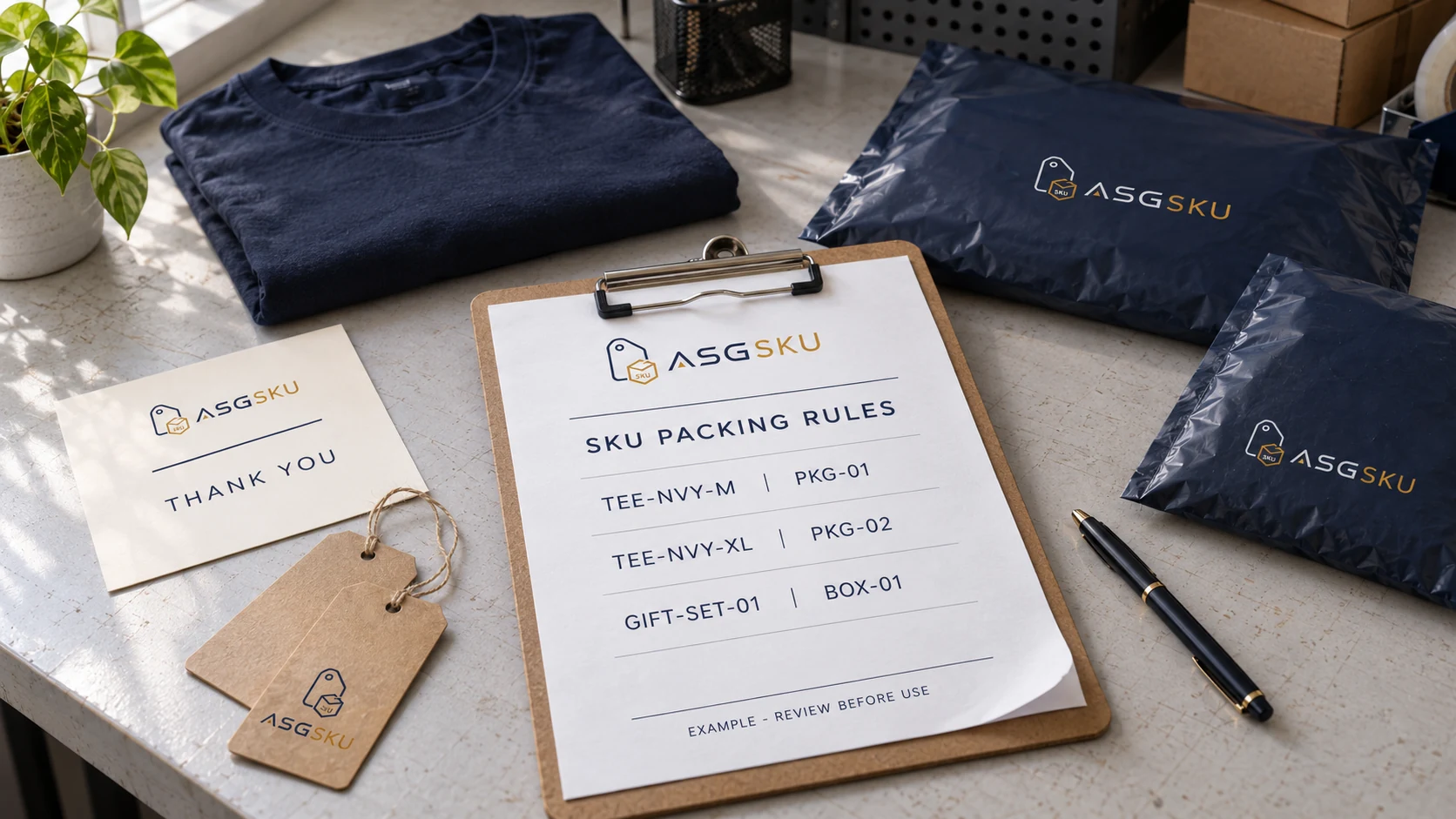
A usable rule identifies the product, the order conditions and the materials to pick. Record the outer package, product label, inserts, branding extras and any handling instructions. Give each material an identifier and an approved artwork version; “blue bag” is not precise enough when two blue bags sit on the same shelf. Include quantities and attachment or placement instructions where they matter.
Distinguish “none,” “use the approved default” and “not yet confirmed.” An empty field should not silently become a packing instruction. Add a rule owner, revision identifier, approval status and effective date. For the service overview, see SKU packaging rules; the method below explains how to prepare the information for review.
Step-by-step: how to set SKU packaging rules
Use these seven steps as a planning method, then validate the result with the people and systems that will carry it out. A longer catalog needs stronger ownership and exception handling, not just more rows.
-
Step 1: Export your full SKU list
Collect the active product and variant identifiers used by your store and fulfillment workflow. Include bundles, component relationships and channel mappings. Check missing or duplicate identifiers before assigning rules. Keep retired identifiers in a separate reference record rather than reusing them for new products. Shopify distinguishes the internal SKU field from the barcode field; preserve that distinction in your working sheet. If you export a product CSV, retain the original file and make a separate planning copy. This packing worksheet is not a store import file.
-
Step 2: Group SKUs by how they pack
Compare the product in its packed state, including any protective layers, folded dimensions and inserts. Two different styles may share a package, while two sizes of one style may not. Make a physical fit check before grouping them. Record the limits of the group, such as an approved folded configuration or a maximum tested combination. Product names alone do not establish compatibility. Keep fragile, liquid, unusually shaped or bundled items separate until their protection and handling requirements have been reviewed.
-
Step 3: Write an approved default rule
Define a default only for products and order conditions that have been tested together. For example, a named group might use material
PKG-01and one approved card per parcel. State that scope explicitly; a default for one group is not a fallback for every unknown SKU. Separate per-unit labels from per-parcel inserts. List which fields an exception may replace and which checks always remain required. An unrecognized SKU should enter the documented review process instead of inheriting a convenient package by accident. -
Step 4: Add exceptions by variant and bundle
Write the exact SKUs affected and the fields that differ from the default. An exception might change the package, add protection or use another card version. If your system supports SKU patterns, verify the pattern against an explicit list of matching products before approval. Do not assume a spreadsheet wildcard will work in the warehouse software. For bundles, specify both the assembled set identity and its component quantities. A mixed order also needs an order-level packing decision; combining valid unit rules does not prove the parcel will fit.
-
Step 5: Add exceptions by market and channel
Record the destination and channel conditions that change a rule, along with the requirement source and review date. Keep product identity, barcode selection and material instructions as distinct fields. Do not assume every marketplace shipment uses the same label type or permits the same inserts. Write an explicit precedence policy, including when an operator must stop for clarification. A channel instruction must not silently override a product protection requirement. If two applicable instructions disagree, resolve the conflict before releasing the rule.
-
Step 6: Link each rule to packaging stock
Use the same material identifiers in the rule sheet, stock record and shelf labels. Confirm the approved version is available, not merely that something with a similar name is in the building. Decide what happens when stock is missing or damaged: hold, escalate, or use a specifically approved substitute. Replenishment planning should consider expected orders, consumption per order, available stock, replenishment time and a buffer. The number of SKUs using a card is not itself a forecast of how many cards will be consumed.
-
Step 7: Test, approve and release one version
Test each packing group and each material exception with representative orders. Include a mixed-SKU order, a missing-material case and a conflicting-rule case. Record the selected materials, quantities, label position and packed result. Have the designated owner approve the version before use. State when it takes effect, how stations receive it and how older copies are withdrawn. Keep a rollback reference for a failed change. Photos help explain the expected result, but a photograph alone cannot prove that a barcode resolves to the correct product.

Packaging rules by variant
Change a rule when a variant changes fit, protection, identification or presentation. Do not assume a size name alone determines the package. The examples below describe possible assignments after a fit check; the material codes, sizes and combinations are examples.
| SKU | Approved package example | Add to order |
|---|---|---|
TEE-NVY-M |
PKG-01, after fit check |
Approved hang tag; one thank-you card per parcel |
TEE-NVY-XL |
PKG-02, after fit check |
Approved hang tag; one thank-you card per parcel |
HOOD-BLK-L |
PKG-02, if tested to fit |
Hang tag; approved wrap; one card per parcel |
SOCK-BLK-3PK |
PKG-03, after bundle check |
One approved belly band per bundle; one card per parcel |
GIFT-SET-01 |
BOX-01 with tested protection |
Approved tissue and care card; quantities in rule |
Scroll across to see all rule fields.
Packaging rules by market
Treat a market rule as a documented condition, not an assumed national or marketplace standard. An instruction can identify an approved language version, a channel-specific label file or a shipment configuration. Record who checked the requirement and where the current source can be found. Platform and product requirements must be checked for the actual shipment.
Separate unit preparation from order and carton preparation. A wholesale carton may need a different reference record from the products inside it. If an instruction is unknown, mark it for review rather than copying another channel’s settings. Neither a default nor an exception should remove an unresolved protection, identity or destination check.
Common mistakes when setting packing rules
Watch for vague material names, blank fields, overlapping exceptions and obsolete copies at the packing station. A rule that names a discontinued card can be syntactically complete and still impossible to follow. A broad SKU pattern may also capture a newly added product that was never tested with the default package.
Use a simple review checklist: does every active SKU have a deliberate assignment, does each referenced material exist, can two rules match with different outcomes, and can the operator find the current approval? For each failure, name an owner and a next action. Do not let an exception note become an undocumented workaround.

How to hand rules to a packing team
Our editorial recommendation is to test the handoff with someone who did not write the sheet. Give them the identified product, materials and instructions, then ask them to explain the choices before packing. Questions reveal missing details: which tag hole, which card revision, how many inserts and what happens when an item is unavailable. This is a review technique, not a claim about measured warehouse performance.
Include an approved packed example and a contact for exceptions. Ask your provider how the latest instructions reach the station and which checks are available for your scope. The warehouse packaging execution page describes the handoff questions to discuss. Agree the workflow before treating any scan, photo or stock update as a guaranteed service.
Keeping rules current as the catalog grows
Make rule review part of new-product, artwork and channel changes. Record the reason for each revision and test the affected assignments before release. Seasonal cards need an agreed start and end condition; leftover stock should not automatically extend a campaign. When planning a reprint, use expected consumption and available quantities rather than counting the SKUs that mention the material.
For packaging stock management, keep material versions and rule versions connected. Retain obsolete records for traceability while making only the approved working version available for routine picking. Confirm how canceled orders, split shipments and returned materials affect the records before relying on automatic stock deductions.
Put the first rule into practice
Start with a small, representative packing group and make its instructions complete enough for another person to follow. Confirm material identity, quantities, placement and the route for exceptions before expanding to the rest of the catalog. Keep the rule, its approval and the packed example together. A useful sheet is not the longest one: it is the current, tested instruction that leaves the operator with a clear next action when the normal path cannot be followed.
Frequently asked questions
Enough to describe the tested packing groups and their exceptions. There is no universal ratio of rules to SKUs. Several variants can share an approved assignment. Keep an exception separate when its conditions or material choices matter, and merge rules only after confirming that their outcomes are equivalent.
Use the identifier the execution system can reliably resolve, usually a sellable variant or assembled bundle SKU. Product groups can organize the sheet, but each active SKU still needs a deliberate mapping. Use pattern matching only when the receiving system supports it and the matched products have been reviewed.
Apply an approved order-level rule to the combined contents. Check total fit, protection, separation and permitted consolidation rather than choosing the largest single-item package automatically. Define which labels apply per unit and which inserts apply per parcel. If the combination has no approved instruction, escalate it before packing.
Provide the SKU mapping, material identifiers and artwork versions, quantities, placement notes, exception contacts and approved packed examples. Ask how the provider will receive revisions and remove older instructions. Test the handoff on representative orders, then confirm which checks and records are included in the agreed service.
References
- Shopify: using SKUs to manage inventory
Internal SKU and barcode distinction; variant identity.
- Shopify: product CSV files
Export/import format; the planning worksheet is not a Shopify import file.
- GS1: GTINs and barcodes
A barcode carries an identifier; visual placement is not proof of item matching.